AppMare
Get started
Get started

From idea to the App Store,
without code.

Describe it to AI or start from a template. Add real logic without writing code, then ship one project to every platform.

Publishes to

iOS Android Windows macOS Web

Exports a real .NET MAUI project. No proprietary runtime, no lock-in.

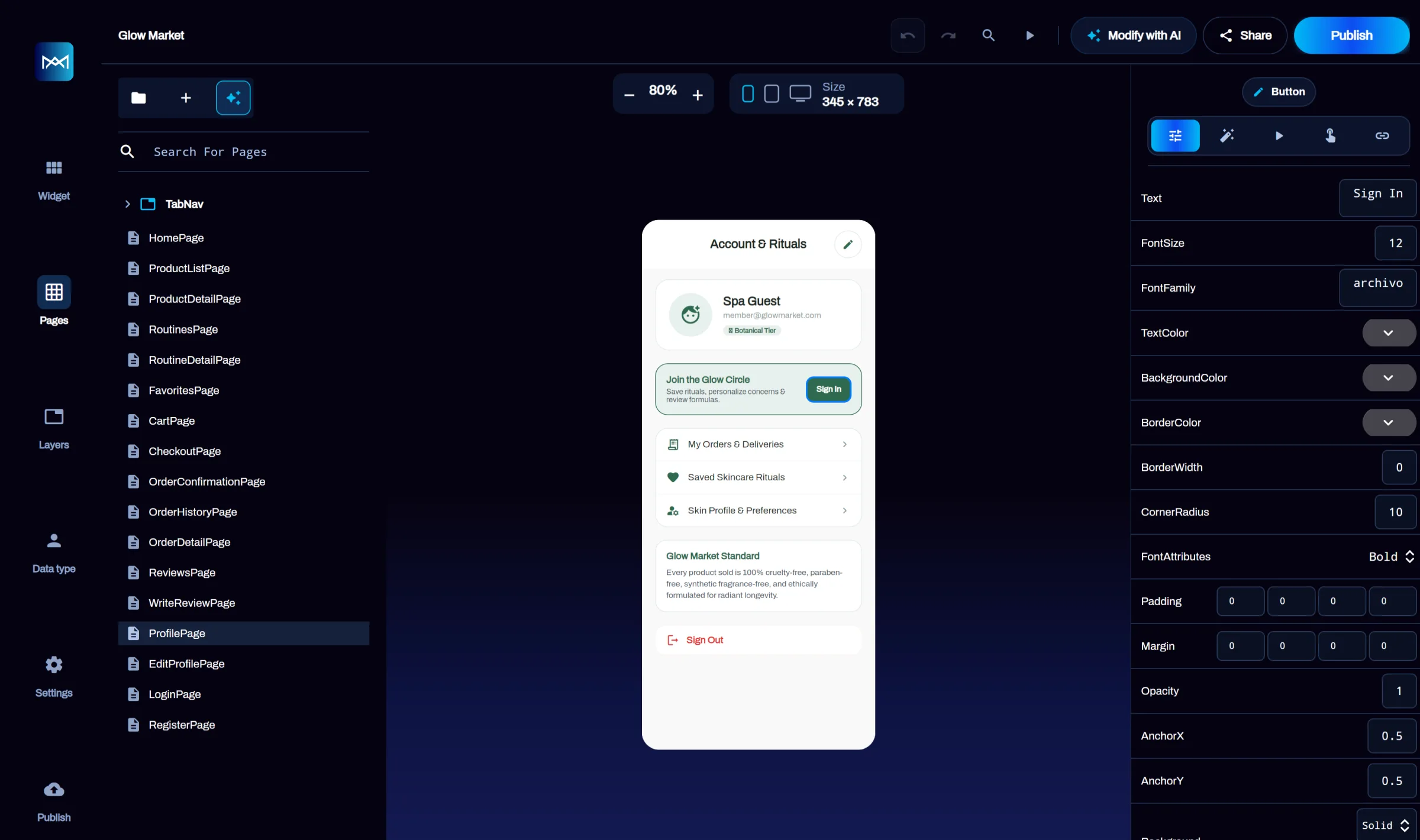
The AppMare web editor: pages list on the left, a live phone canvas in the middle and the properties panel on the right
235ready-made templates
6ways to load data
29actions for app logic
7Firebase services pre-wired

Three ways to start

A prompt, a template,
or a blank canvas

Create your first app
Build with AI

Describe it

Type your idea, attach a sketch, a video, a file or a voice note. AppMare generates the pages, navigation and layout for you.

A booking app for my barbershop with services, barbers and a calendar

Sketch Video File Voice note
Templates

Pick a template

235 real apps across shopping, AI, travel, finance and more. Preview it, open it in the editor, make it yours.

235 templates

ShoppingAI ToolTravelFinanceEducationCommunity+ more
Editor

Design it yourself

Drag controls onto a device-sized canvas, edit every property, and watch the live preview update as you go.

  • Pages and navigation
  • Controls and properties
  • Actions on every event
  • Data types and your Firebase

One project, every screen

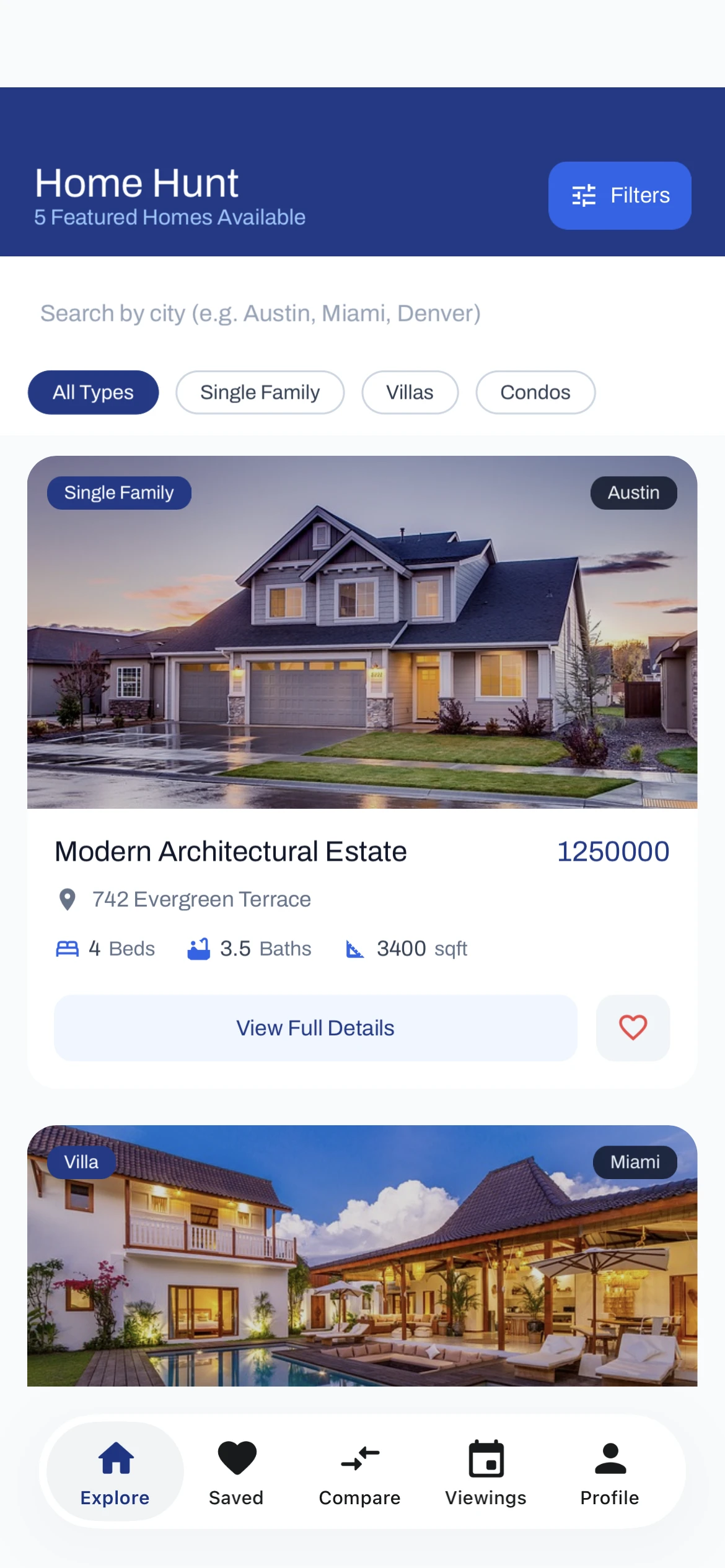
Phone, tablet and desktop
from one design

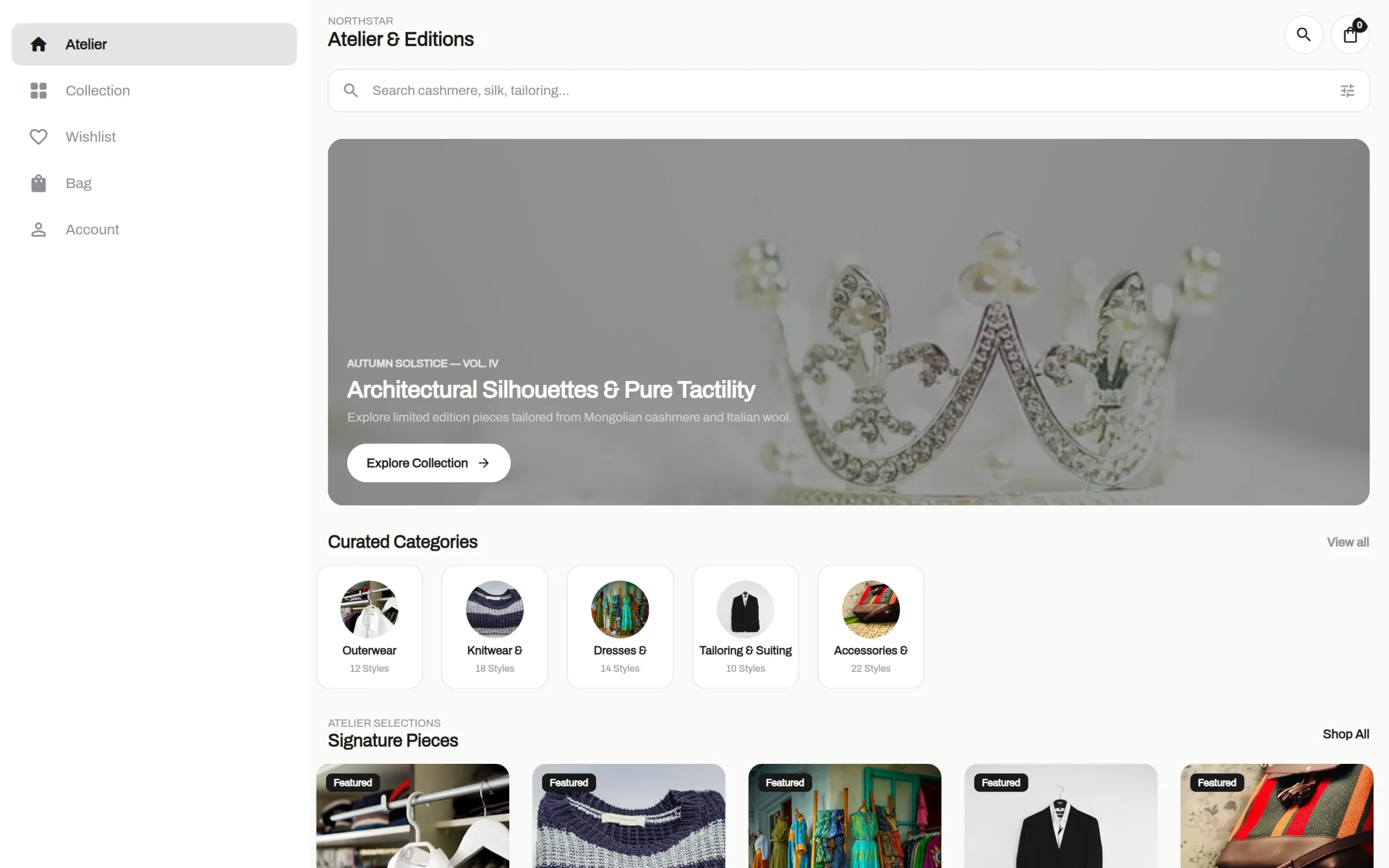
Tabs become a sidebar when there is room for one, and switch back when the window gets narrow. No second layout to build.

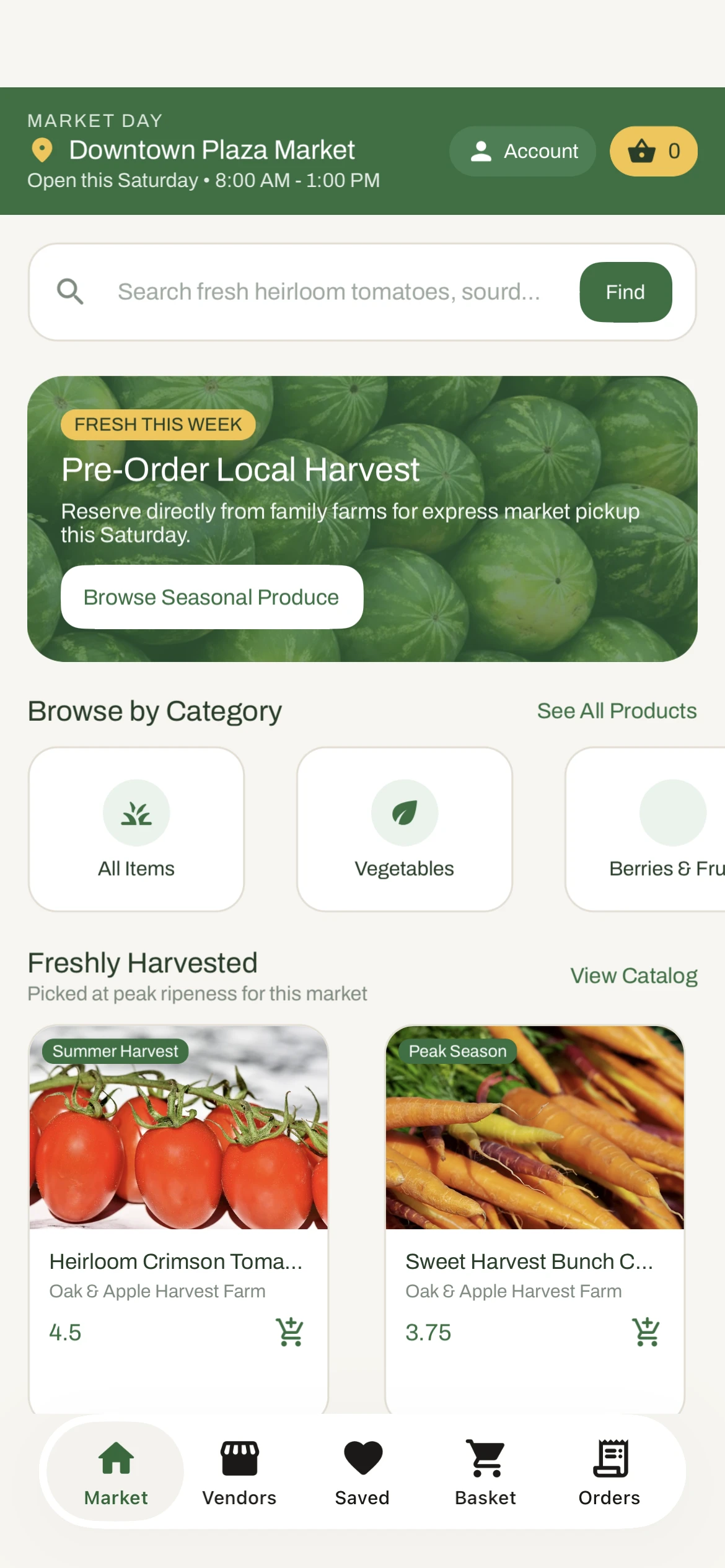
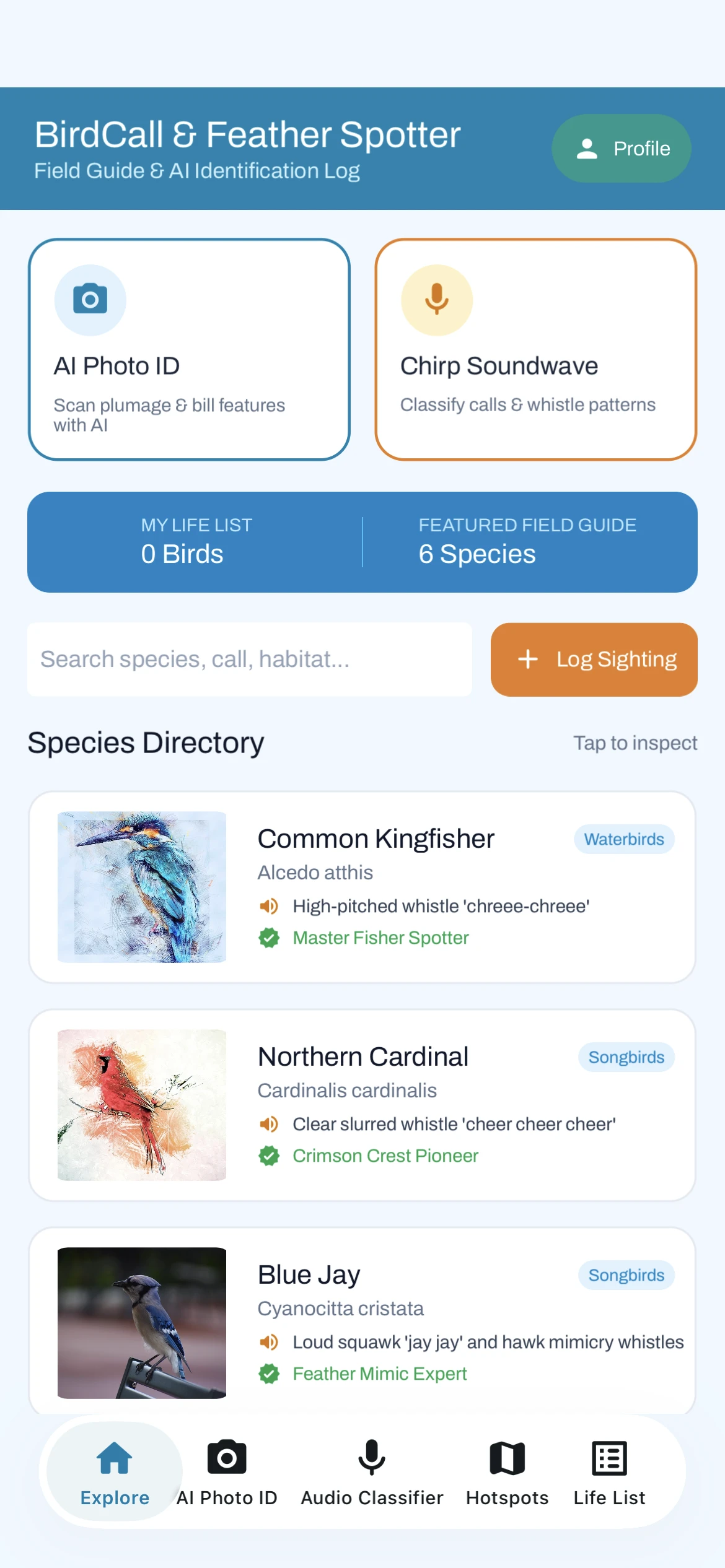
See it in the templates
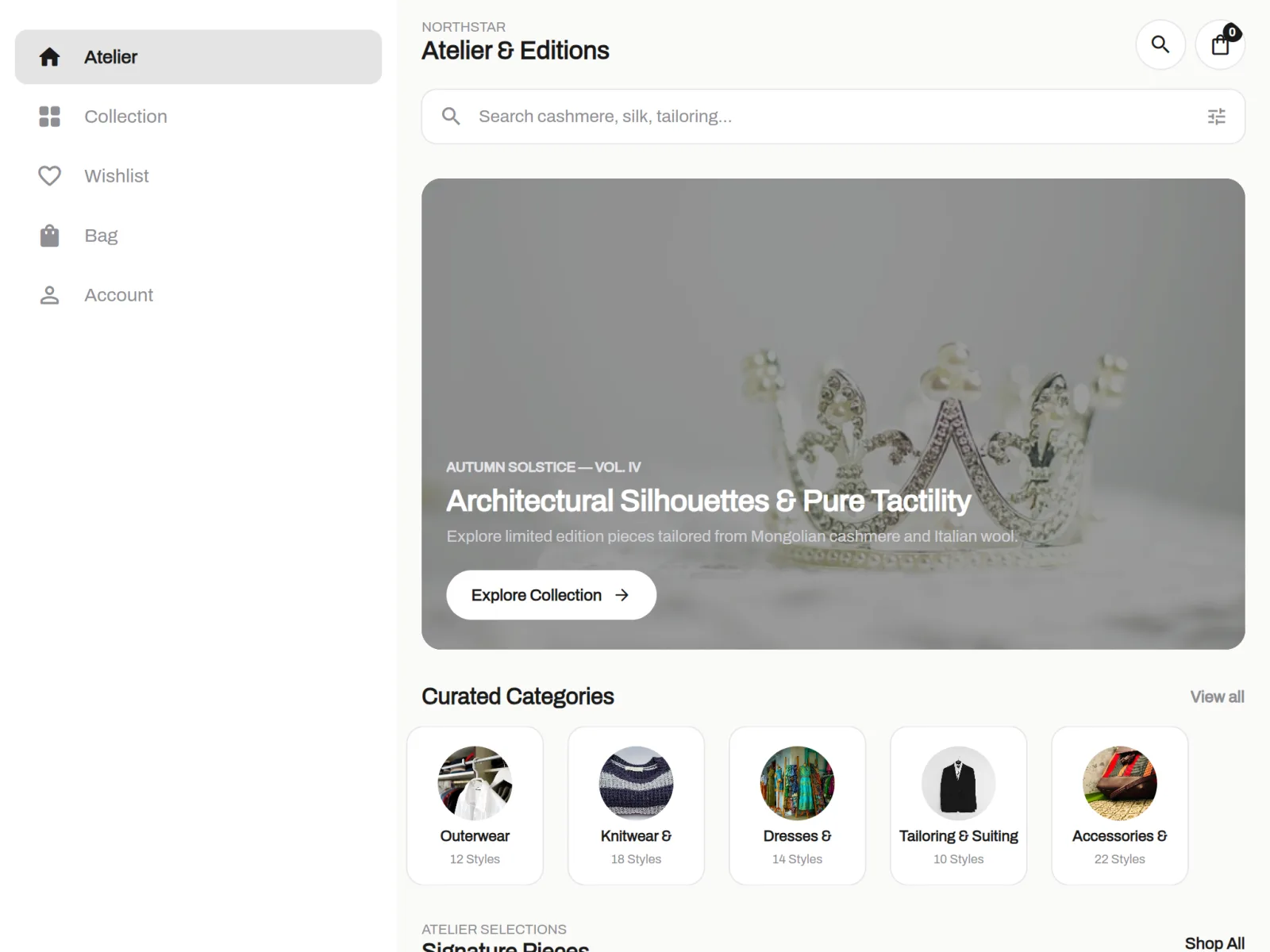
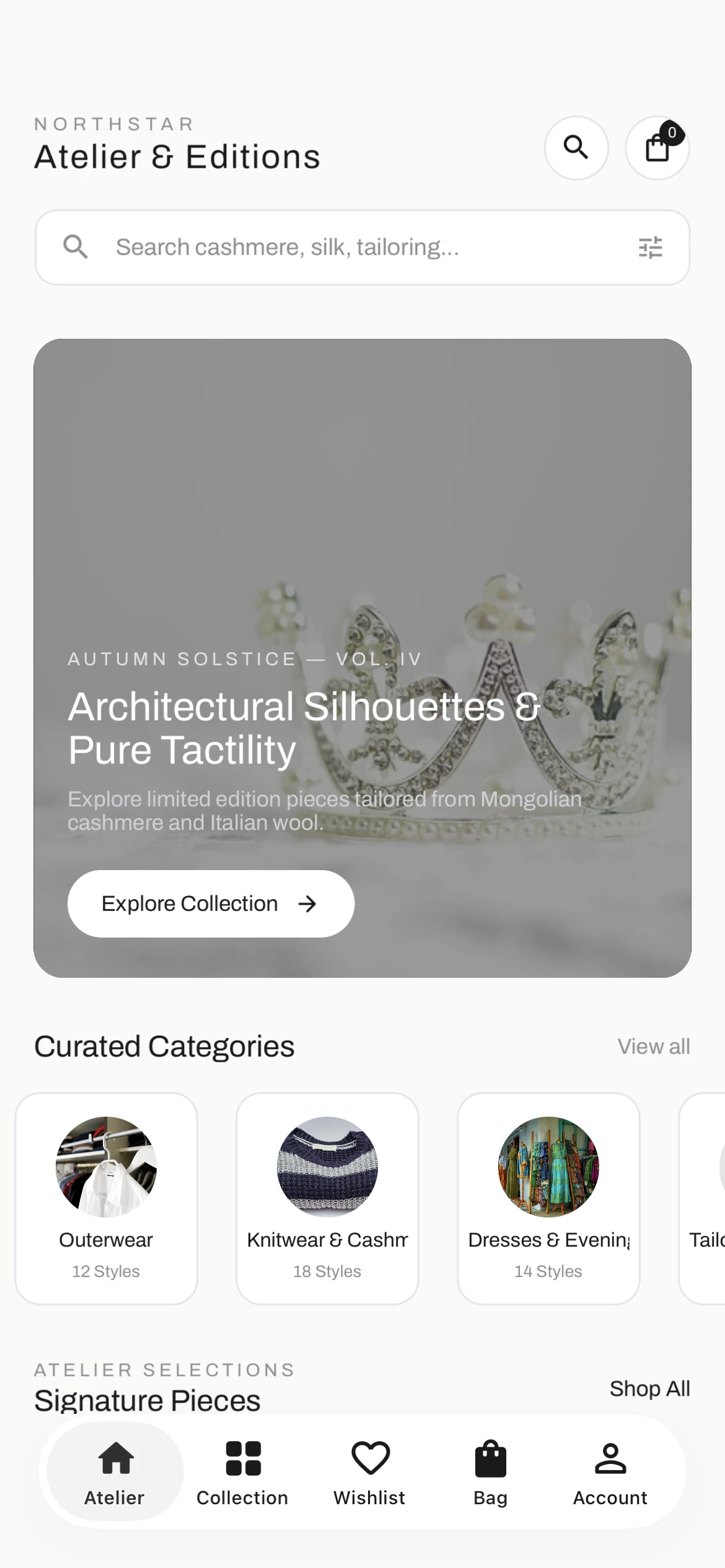
Northstar Boutique on a desktop browser with a sidebar for Atelier, Collection, Wishlist, Bag and Account
Northstar Boutique on a tablet in landscape, with the same sidebar
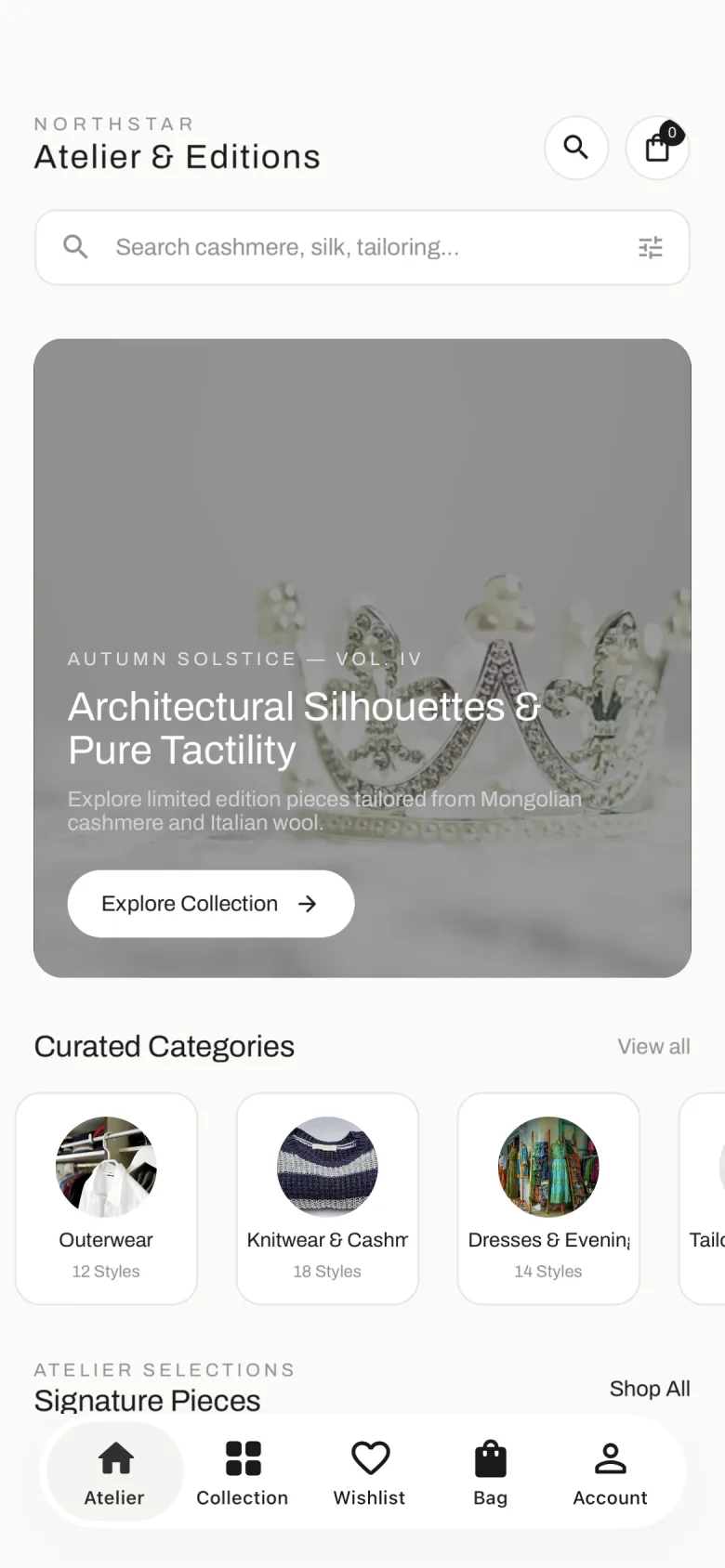
Northstar Boutique on a phone, with the tabs at the bottom
Desktop Sidebar Tablet Sidebar Phone Bottom tabs

Built with AppMare

Working apps,
not just screens

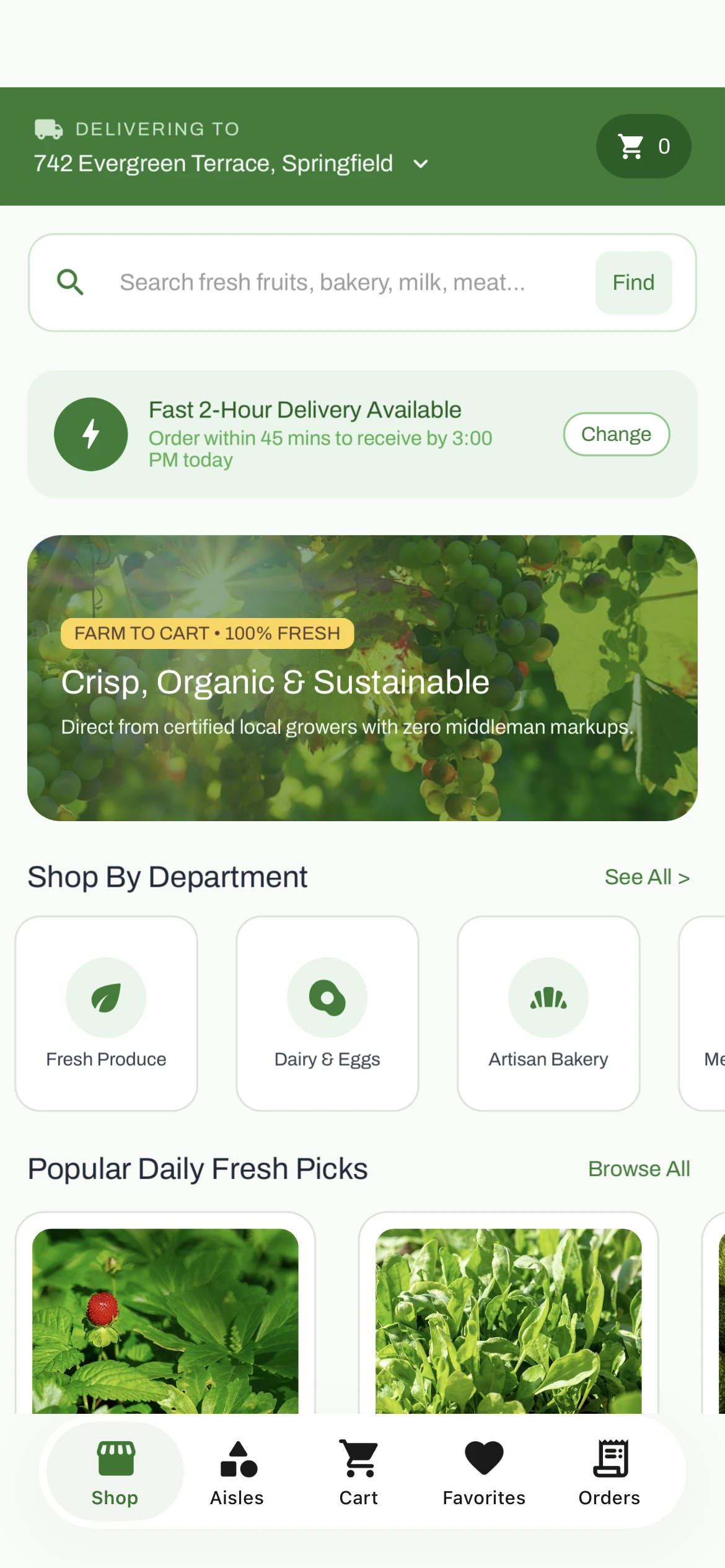
HarvestCart is one of the templates. Every tap below runs an action chain you can open and change in the editor.

Browse all templates
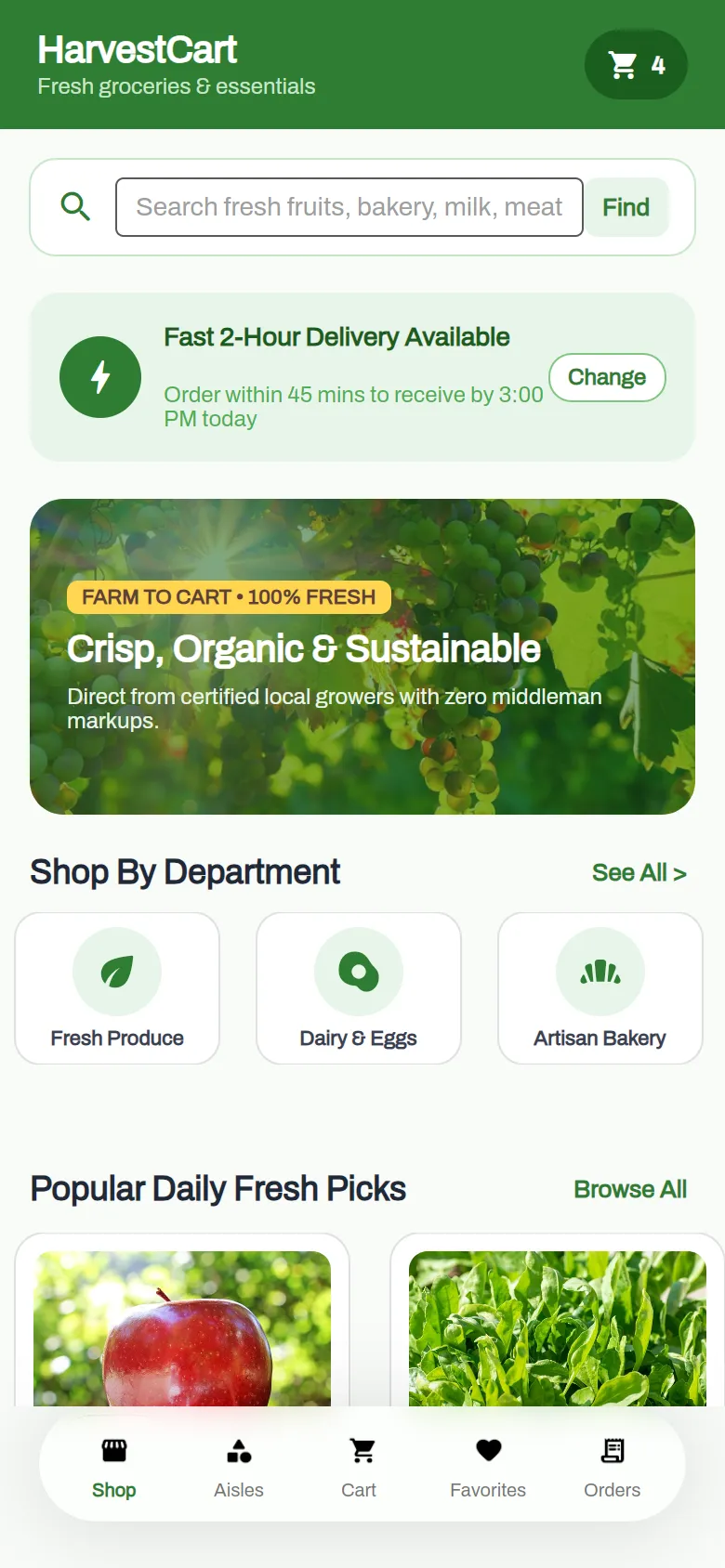
  1. HarvestCart shop page with search, delivery banner, departments and products
    1BrowseSearch, departments and product lists bound to your data.
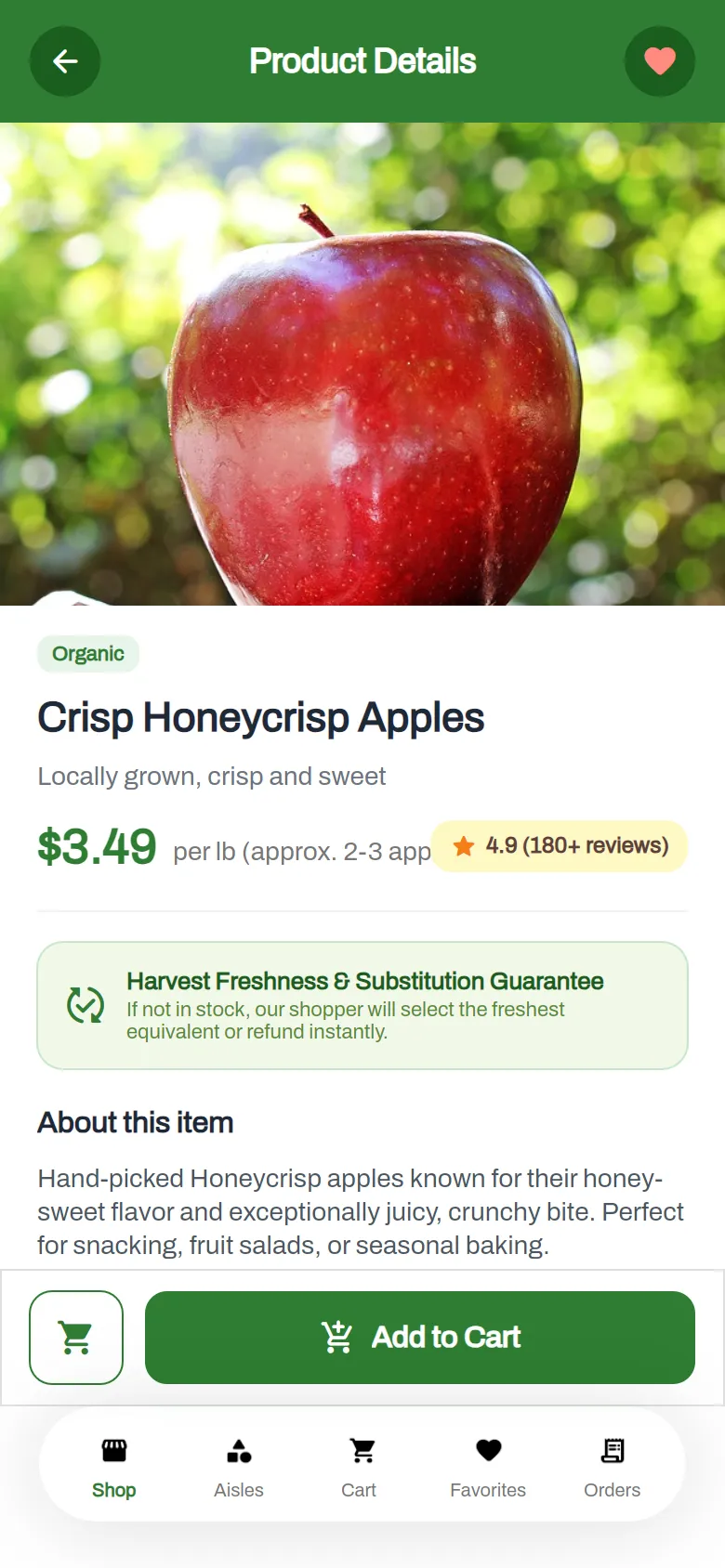
  2. HarvestCart product page for Crisp Honeycrisp Apples with price, rating and Add to Cart
    2Open a productNavigate to Page passes the tapped item along.
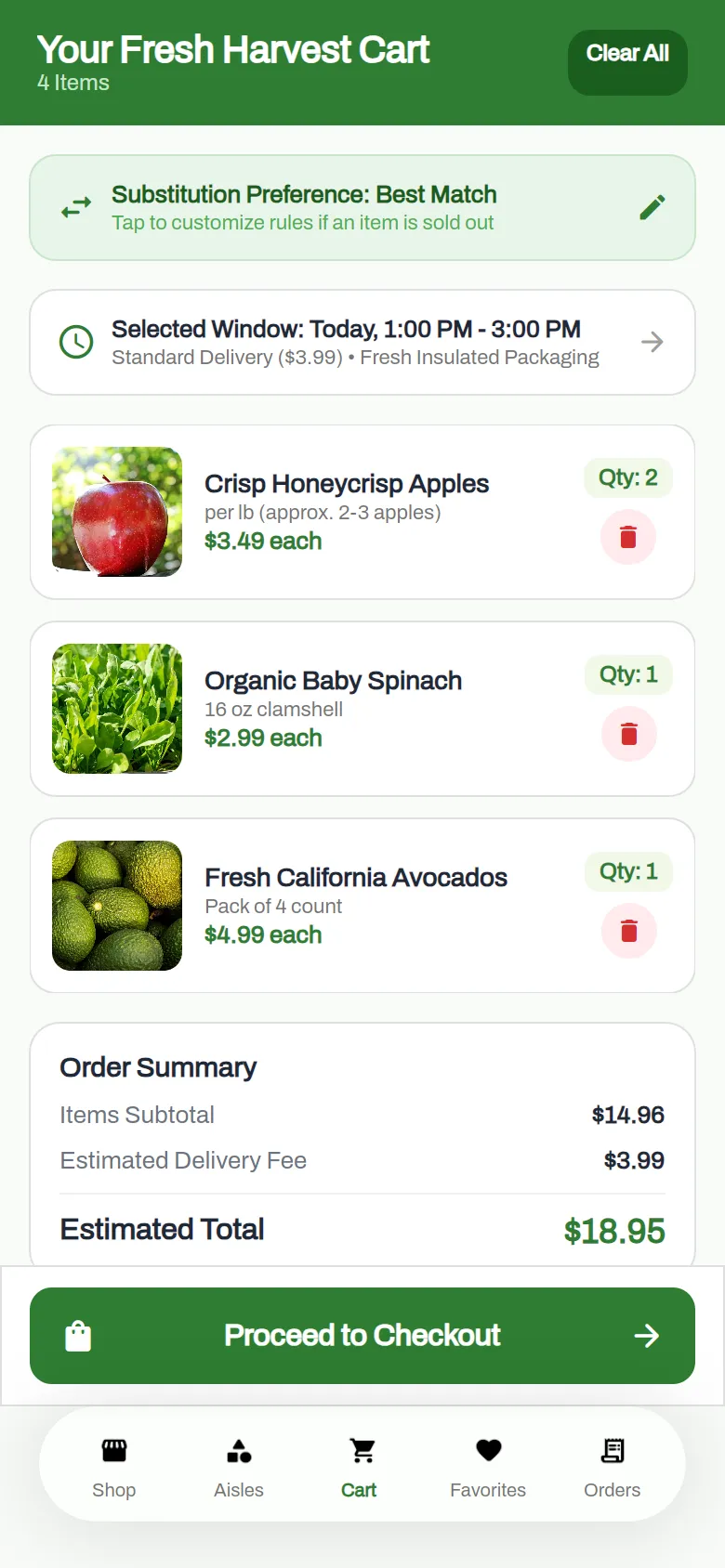
  3. HarvestCart cart with three products, quantities and an order summary of $18.95
    3Add to cartThe cart, the badge and the totals update as you shop.
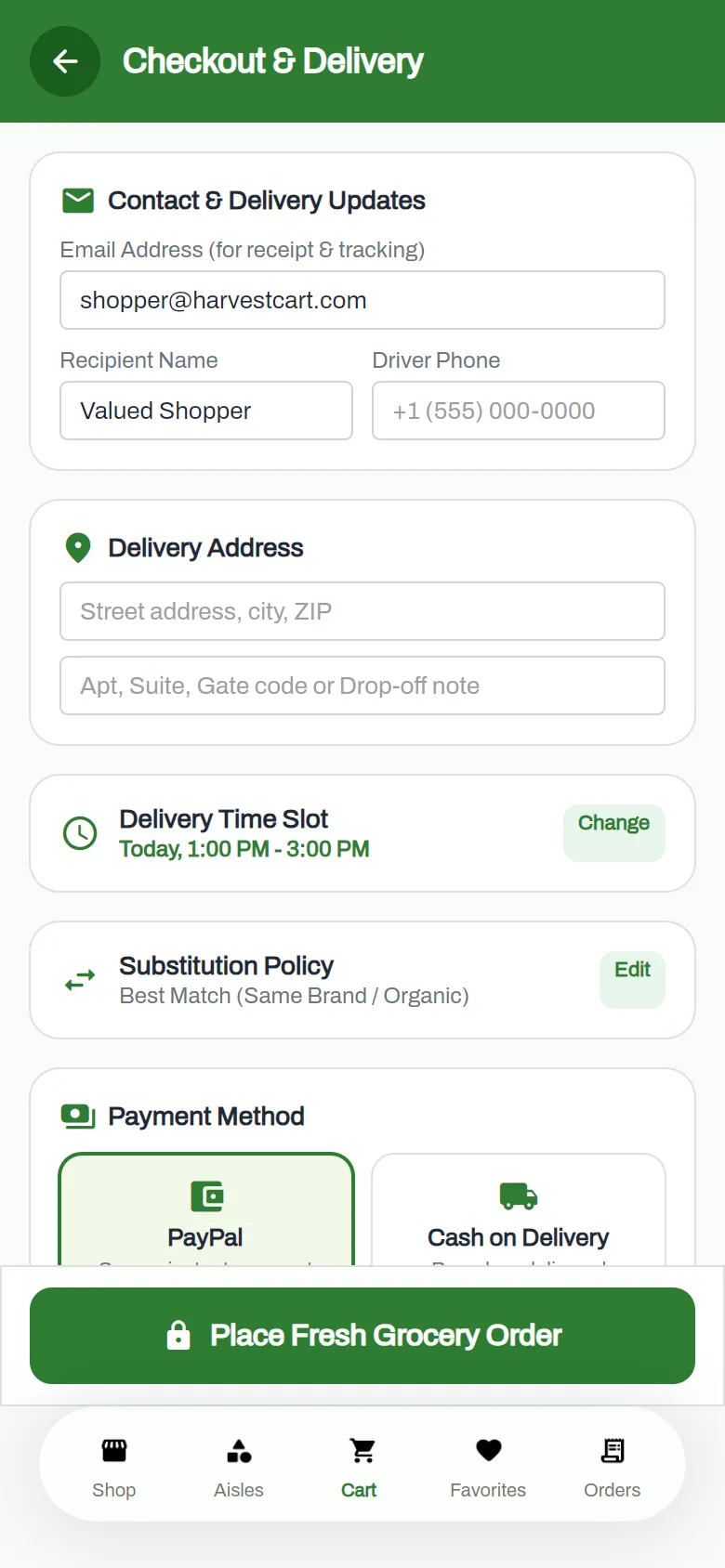
  4. HarvestCart checkout with contact details, delivery address, time slot and PayPal or cash on delivery
    4Check outDelivery details, a time slot, and PayPal or cash on delivery.

The editor

Every tab does real work

Logic, data models, your backend, settings and publishing all live next to the canvas, not in a separate tool.

Open the editor
Tapped Buy HTTP Request var order If Condition
THEN
order.Status == "paid" Navigate to Page · Confirmation
ELSE
Alert OK
Firebase Realtime DatabaseFirebase AuthenticationLoad From Google SpreadsheetModify ViewLocal StorageCamera PickPay With PayPalIn-App Purchase+ 20 more

Actions

Attach a chain of actions to any event. Store each result in a variable, branch with If, and use any C# expression anywhere. On publish the chain compiles to real C#.

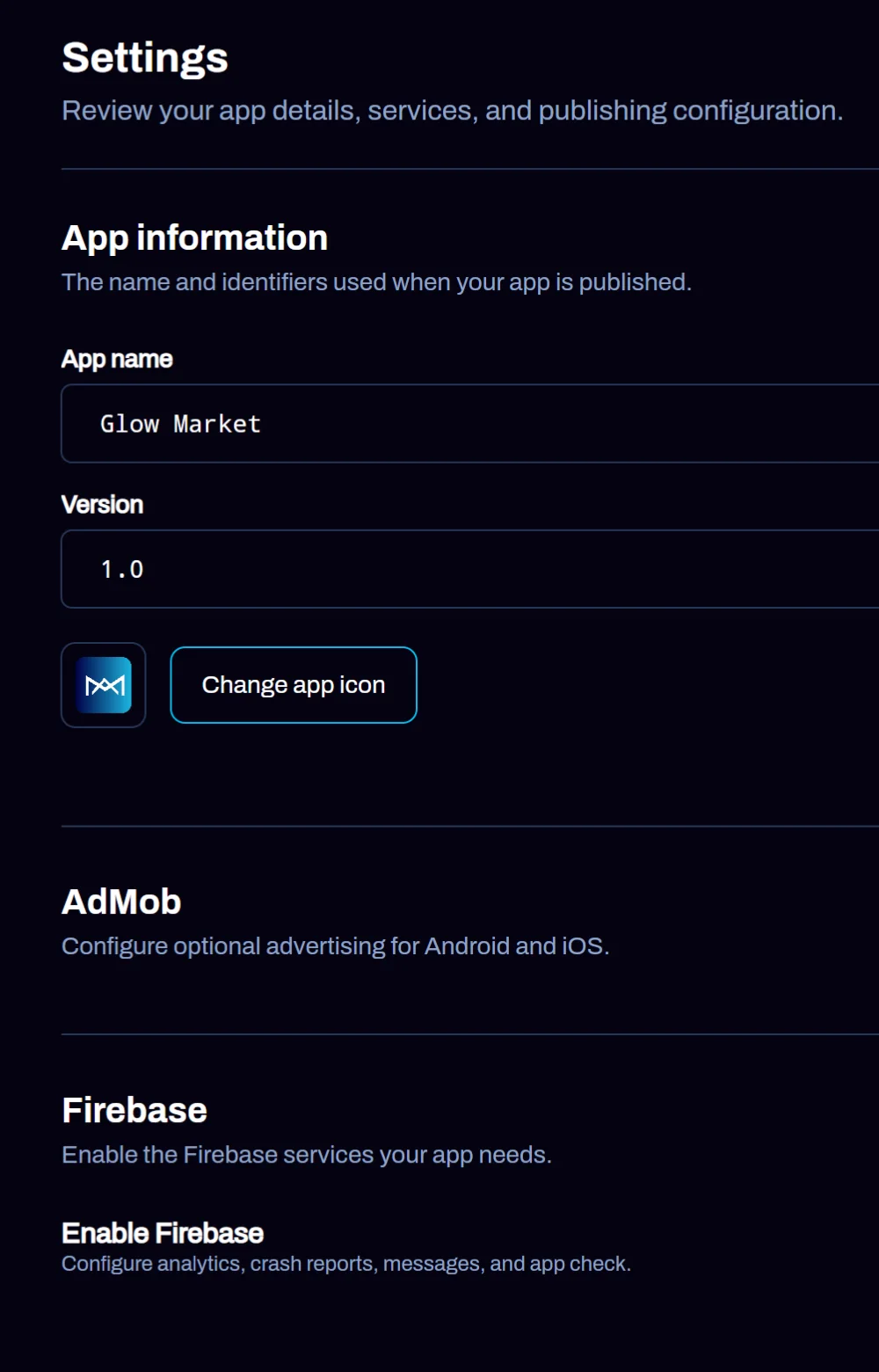
App settings: app name, bundle ID, version, app icon, AdMob and Firebase sections

App settings

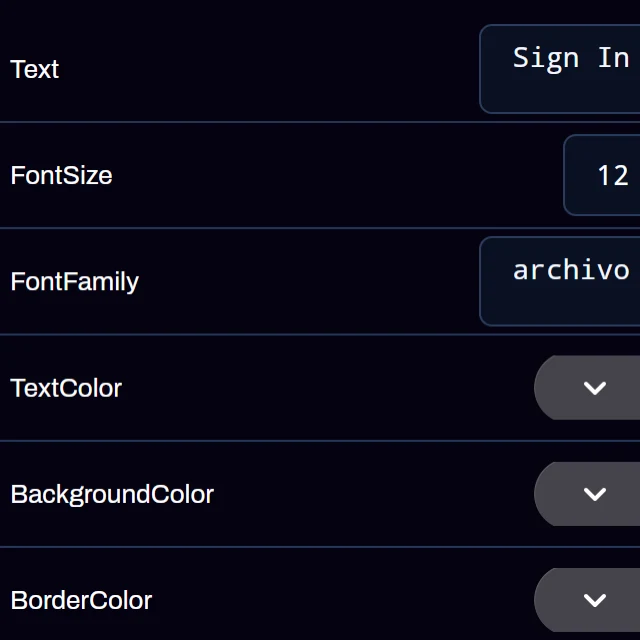
Name, bundle ID, version and icon, plus AdMob and Firebase, in one place. Every control's properties are edited right on the canvas.

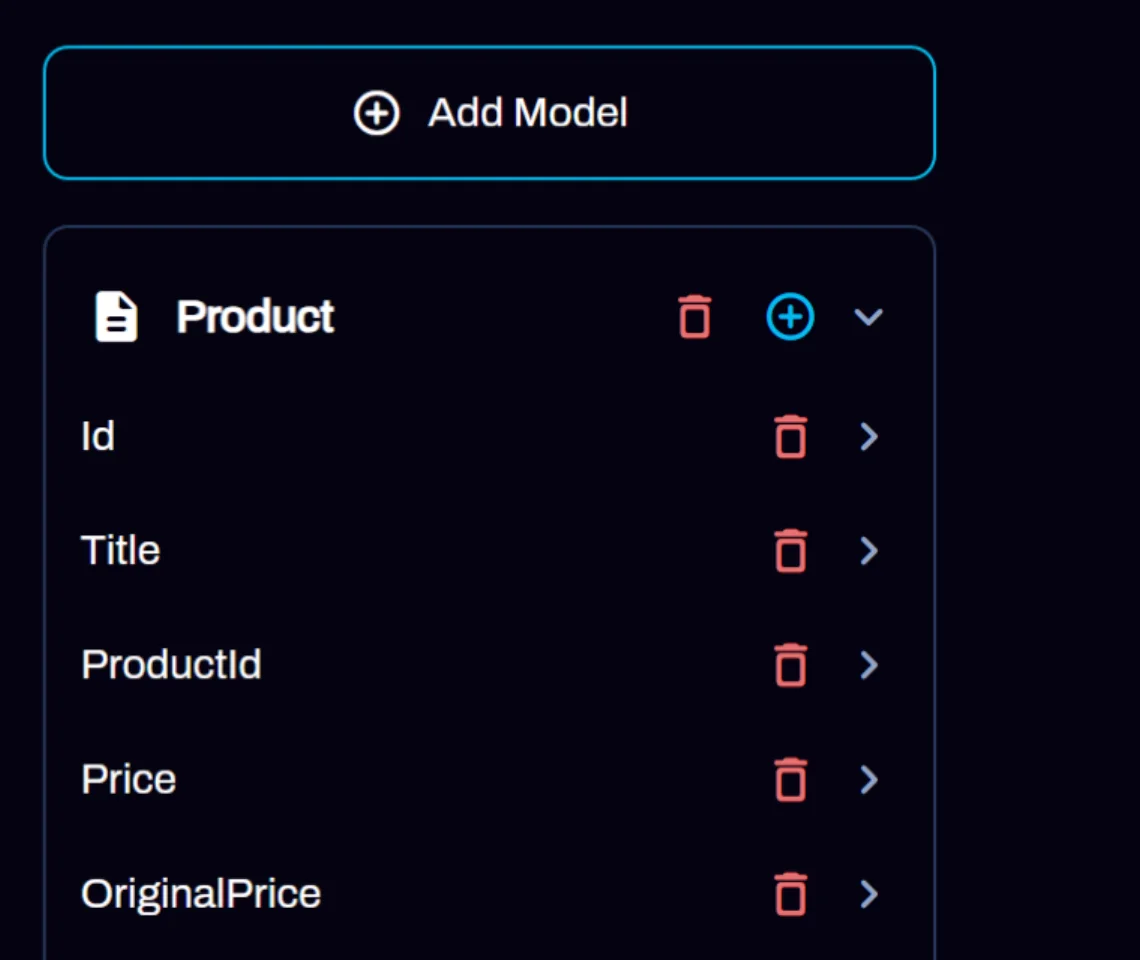
Data type panel listing the fields of a Product model

Data types

Model your data once. APIs, Firebase, Sheets and JSON return it as typed objects you can bind to any list.

Realtime DB
Authentication
Hosting
Notifications
Analytics
Crashlytics
App Check

Your own Firebase

Sign in with Google and AppMare sets up these services in your own Firebase project. Your data stays in your account.

The Modify with AI button in the editor toolbar
Add a dark theme to every page Make the product list a two-column grid Add a reviews page to each product

Modify with AI

Ask for a change in plain language and the AI edits the project you already have. Share it with your team from the same toolbar.

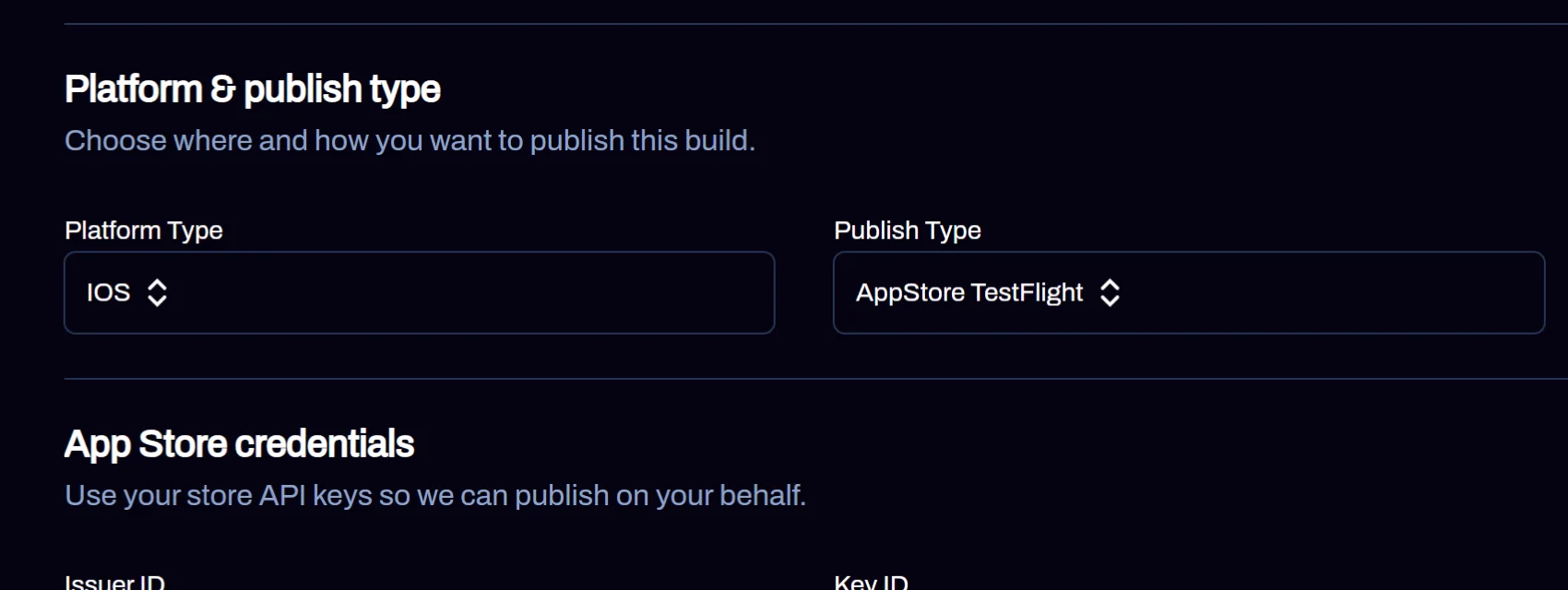
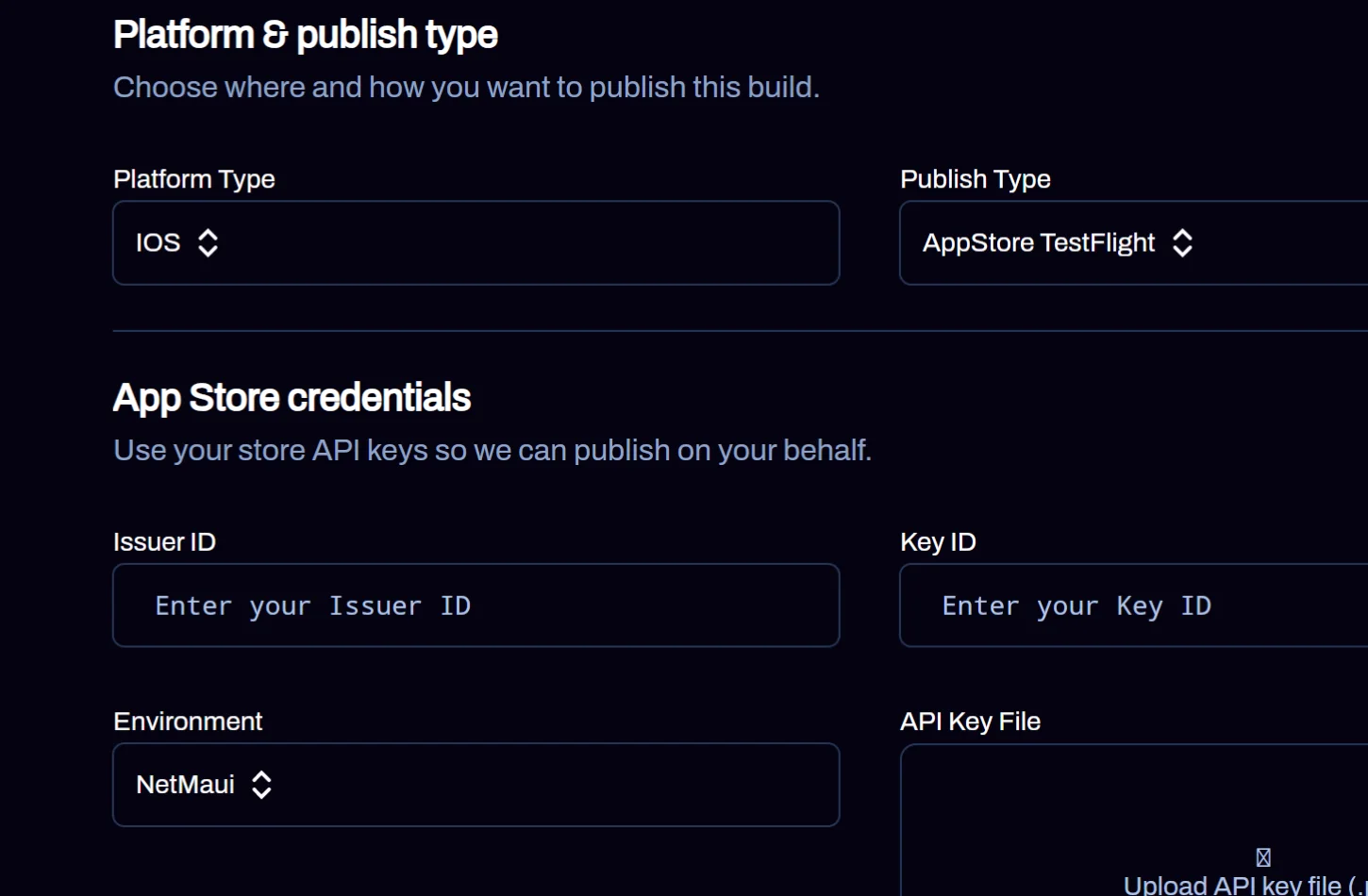
Publish screen with platform type iOS, publish type App Store TestFlight and App Store credential fields

Publish from the editor

Pick a platform, add your store keys, and the build runs in the cloud: TestFlight, Play Store tracks, APK and AAB, a Windows .exe, or Firebase Hosting for the web.

Connect your AI

Build from Claude, ChatGPT or any AI assistant

AppMare has an MCP server. Connect it once and your assistant can create apps with AppMare AI, change them and follow every build, right in your account.

Claude ChatGPT & Codex OpenCode + any MCP client
Read the setup guide
  1. 1
    Ask in plain language Build a booking app for my barbershop with services, staff and a calendar
  2. 2
    Your assistant calls AppMare AppMare AI builds the pages, navigation and logic while your assistant follows the progress. create_appapp_id: com_appmare_barberbooking48213 get_build_statusbuilding: true · stage: generating
  3. 3
    Open it in the editor Preview on every device, keep editing, then publish. editor.appmare.com/?appId=com_appmare_barberbooking48213

Signs in with your AppMare account. It never sees your password or your apps' code, and you can disconnect it anytime in Settings.

In Claude, open Settings → Connectors → Add custom connector, paste the server URL, then sign in to AppMare and press Allow.

https://appmare.com/Debug/mcp

What your assistant can do

  • create_appBuild a new app with AppMare AI
  • modify_appChange an app you already have
  • get_build_statusFollow a build until it is ready
  • cancel_buildStop a build that is running
  • list_appsSee the apps in your account
  • get_appPages, status and the editor link
  • list_modelsPick the AI model to build with
  • get_accountCheck your plan and credits
Prefer a key? Create one in Settings → API keys. All clients

Template library

235 real apps
to start from

Browse all templates

AppMare on iPhone and Android

Build from your phone, too

The same builder, in an app. Start with AI, pick a template, edit controls and pages, and keep every project in My Apps.

  • Build with AI on the go. Describe the idea, pick a model, generate.
  • A real editor in your pocket. Layout, UI, input and media controls, a component tree and page events.
  • One account everywhere. Open the same project in the web editor later.
Download on theApp Store Get it onGoogle Play
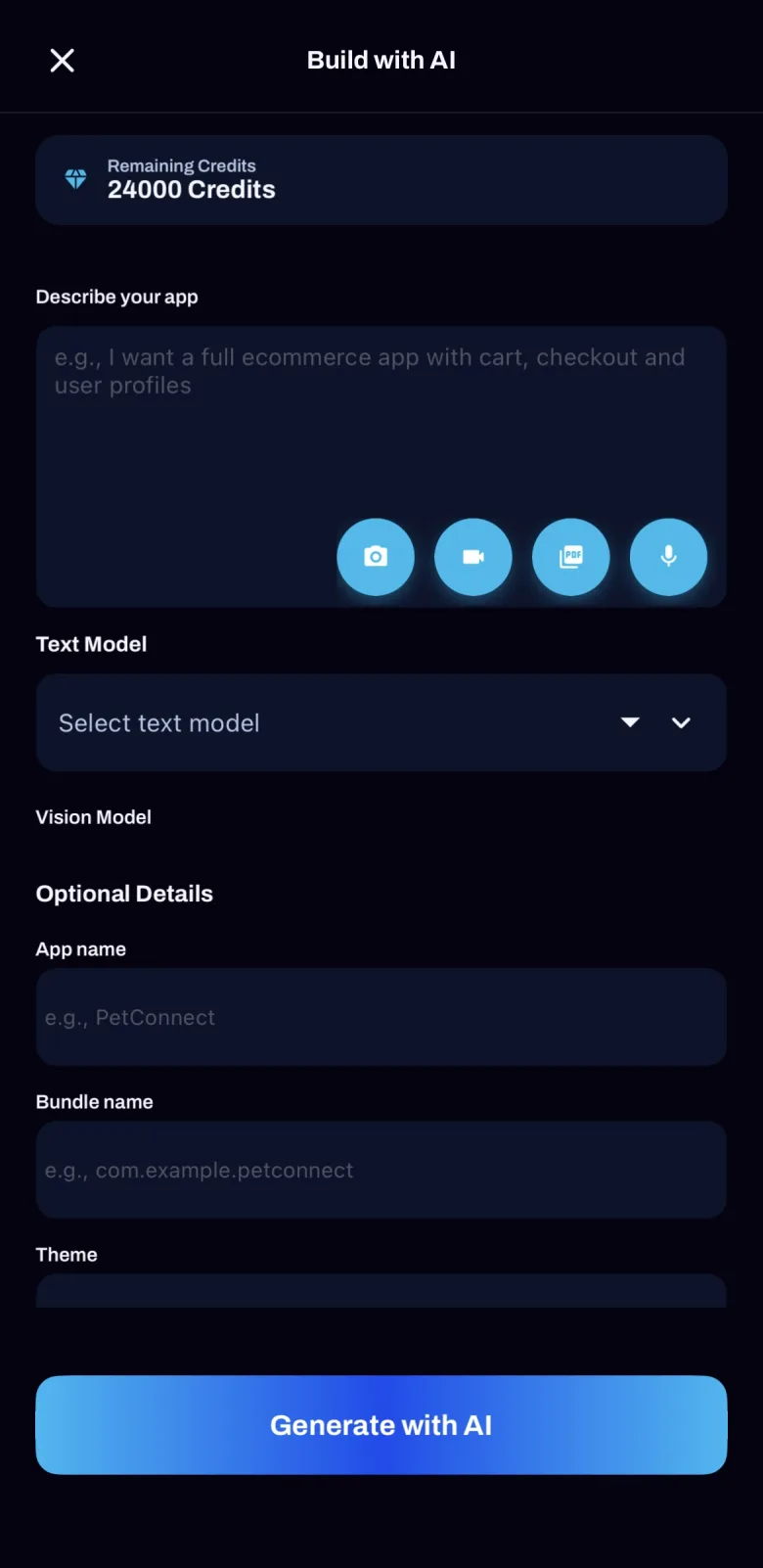
Build with AI form in the AppMare mobile app
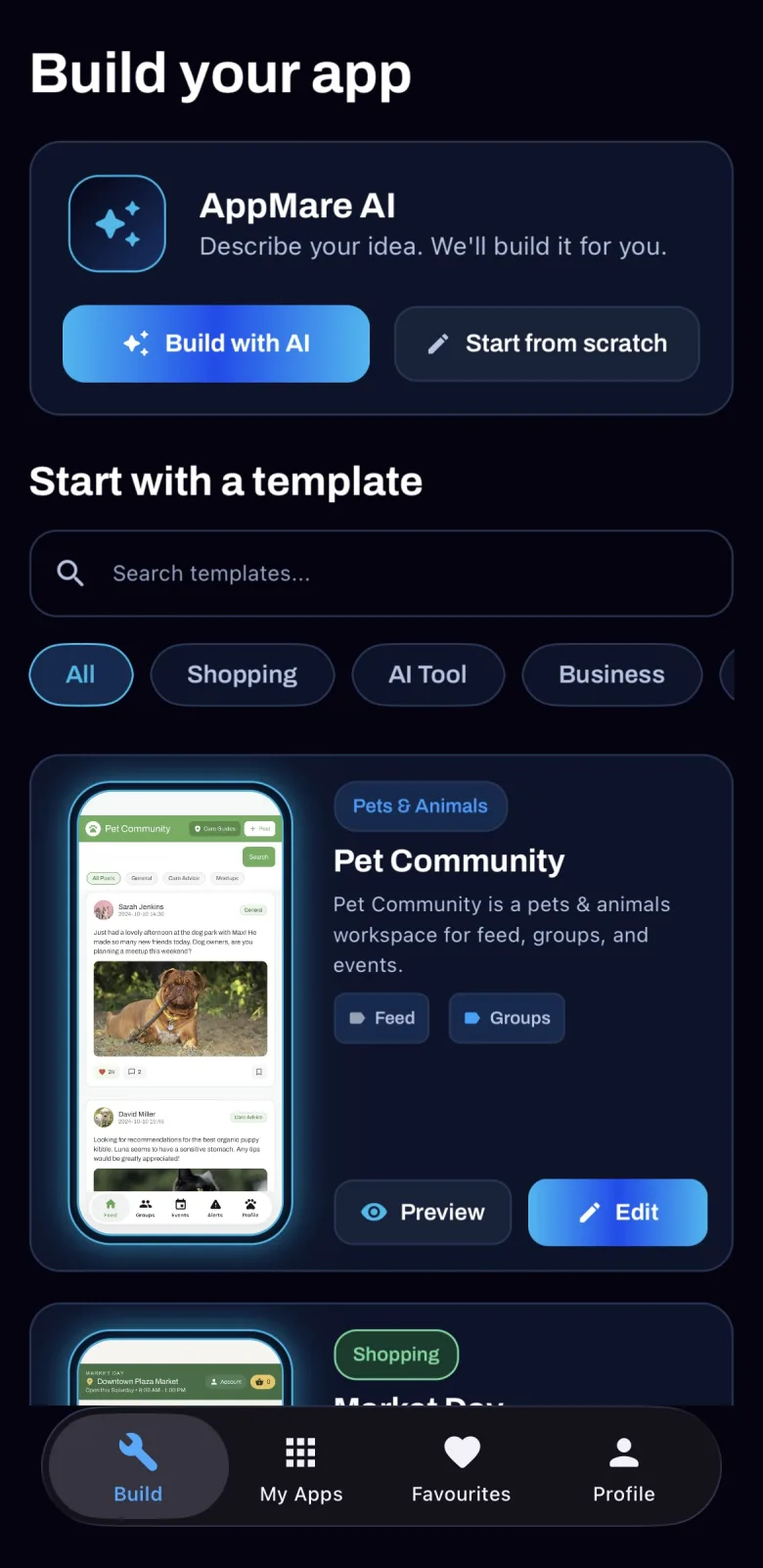
AppMare Build tab on iPhone with Build with AI, Start from scratch and templates
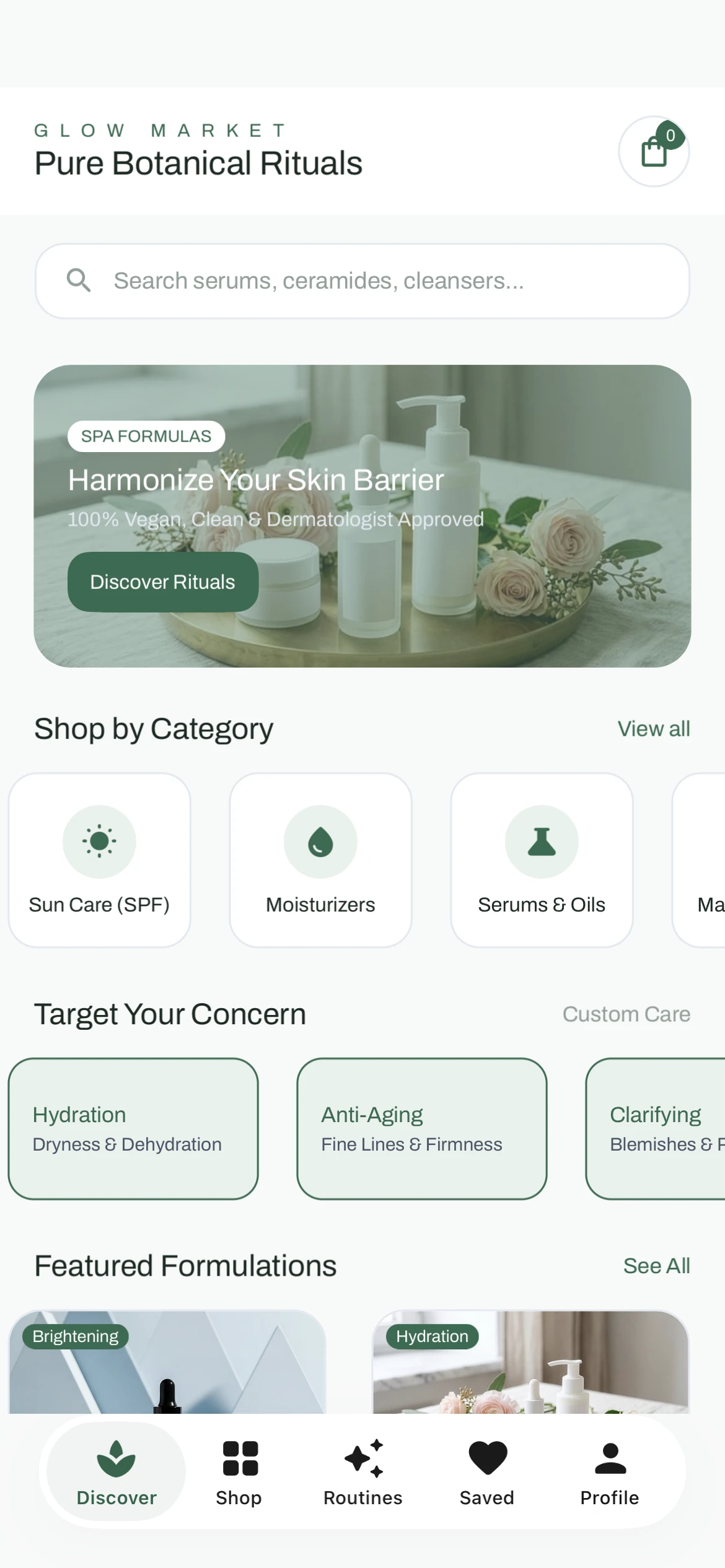
Publish dialog: platform type, publish type and the environment set to .NET MAUI
Exported project.NET MAUI
GlowMarket.sln
GlowMarket.csproj
MauiProgram.cs
App.xaml
Pages/
Platforms/
Android/  iOS/
MacCatalyst/  Windows/
Resources/

Publish and export

Ships as a real
.NET app

Every project compiles to .NET MAUI, so your app runs with native controls on each platform. Publish to the stores from the editor, or download the full source project and keep building in Visual Studio.

iOSApp Store
AndroidPlay Store
Windows.exe
macOSMac App Store
WebHosting
For small businesses

Your shop or booking app, live in days

No developer needed. Start from a template that already has the pages you need and publish to both stores.

  1. 1Pick a template and swap in your products and branding
  2. 2Add payments with PayPal or in-app purchase
  3. 3Publish to the App Store and Google Play from the editor
Start from a template
For .NET developers

Skip the boilerplate, keep the stack

Design visually, keep writing C# where it matters, and take the project with you.

  1. 1Lay out the UI on the canvas instead of hand-writing XAML
  2. 2Wire logic with actions and any C# expression
  3. 3Export the complete .NET MAUI project, no proprietary runtime
See the Premium plan

Your first app is one prompt away

Free to start. Publish when you are ready.

235 templates Publish to 5 platforms Export the .NET source